Buying guide · Updated 2026
Best MIDI Keyboards for Beginners
Seven first-keyboard picks at or under $220, weighed on key feel, pads, DAW integration, and software bundles: the things that decide whether a beginner sticks with it.
How we picked
- 1. Keybed quality matters more than feature count at this price
- 2. DAW integration: one-cable presets beat manual mapping for new users
- 3. Software bundle included: a bundled Lite DAW saves the first $100 of setup
- 4. Pads and knobs earn their place only if the keybed still feels good
Beginner MIDI Keyboards at a Glance
| Controller | Keys | Pads | Knobs | Faders | DAW Deep | Price |
|---|---|---|---|---|---|---|
Arturia KeyLab Essential 49 Best Overall | 49-key synth | 8 | 9 | 9 | Ableton Live, Logic, FL Studio, Cubase, Studio One | $199Full review → |
Novation Launchkey 49 Mk4 | 49-key synth | 16 | 8 | — | Ableton Live, Logic, FL Studio, Cubase, Reason | $219Full review → |
M-Audio Oxygen Pro 49 | 49-key synth | 16 | 8 | 9 | Ableton Live, Logic, FL Studio, Cubase, Pro Tools | $199Full review → |
Alesis V49 MkII Best Value | 49-key synth | 4 | 4 | — | Ableton Live Lite (included), works class-compliant elsewhere | $149Full review → |
Nektar Impact GX49 | 49-key synth | — | 8 | — | Reason, Cubase, Logic, FL Studio, Studio One | |
Akai MPK Mini Mk3 | 25-key synth | 8 | 8 | — | MPC Beats (included), class-compliant | $119Full review → |
Arturia MiniLab 3 | 25-key synth | 8 | 8 | 4 | Ableton Live, Logic, FL Studio, Cubase | $149Full review → |
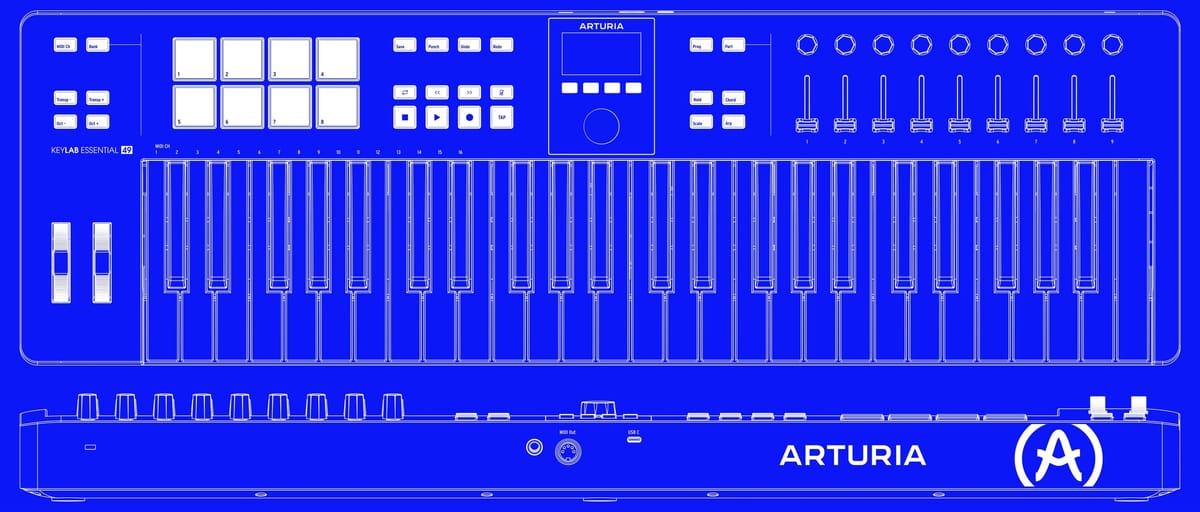
Arturia KeyLab Essential 49
Best all-rounder for beginners: one-cable DAW control, eight pads, and Arturia's Analog Lab Pro bundle.
- ✓Deep one-cable DAW integration (Ableton, Logic, FL, Cubase, Studio One)
- ✓Analog Lab Pro software bundle is useful
- ✓Includes 5-pin MIDI out for hardware gear later
- ✓Pitch/mod wheels instead of strips
- -Keybed is synth-action only
- -No battery; USB bus or mains power
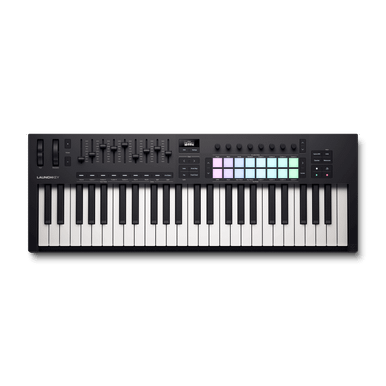
Novation Launchkey 49 Mk4
Better keybed than the Mk3, and the 16 RGB pads double as Ableton clip launchers. The best pick for Live users.
- ✓16 velocity pads map straight to Ableton clip launch
- ✓Helpful 'Fixed Chord' mode for one-finger chords
- ✓Scale mode makes it hard to play a wrong note
- ✓Includes Ableton Live Lite and bundles
- -No faders; automation is knob-only
- -InControl presets tilt Ableton-heavy
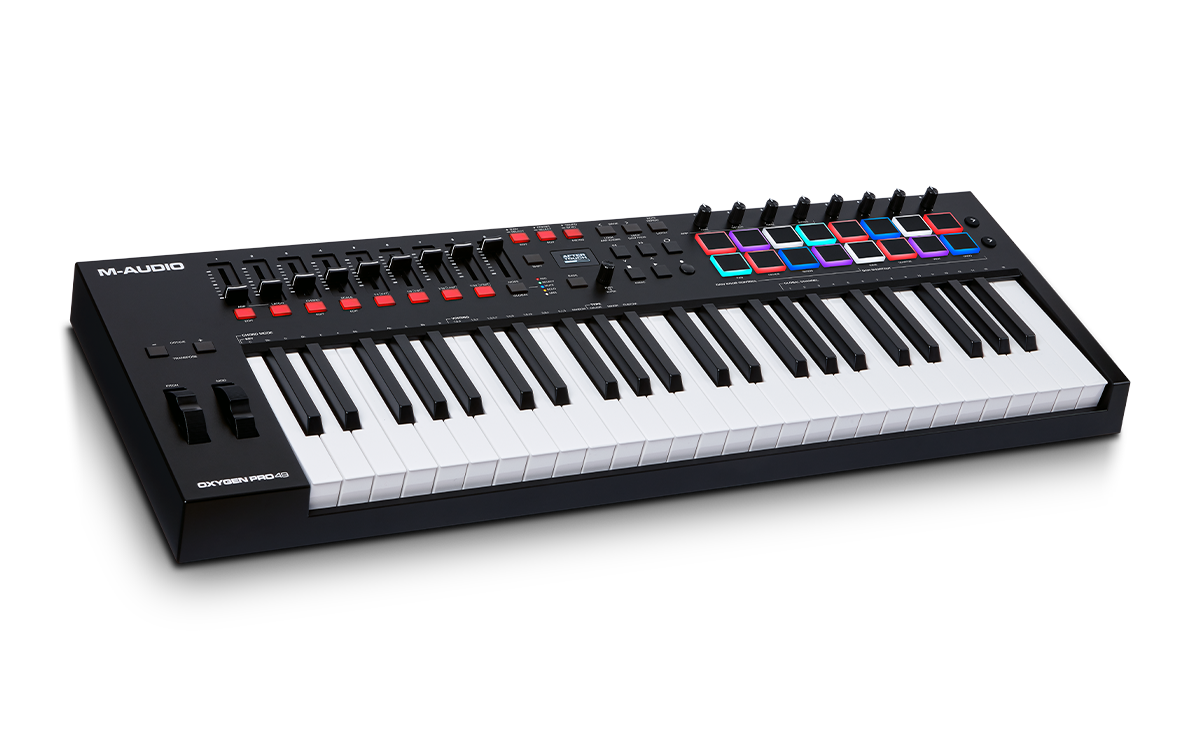
M-Audio Oxygen Pro 49
The most complete control surface under $200: 16 RGB pads, eight knobs, nine faders, and auto-mapping for every major DAW. The keybed is average; the feature list is not.
- ✓9 faders and 8 knobs, rare at this price
- ✓Auto-mapping presets for every major DAW
- ✓Smart chord/scale modes for music theory newbies
- -Keybed action is average vs. KeyLab/Launchkey
- -Presets occasionally need manual tweaking
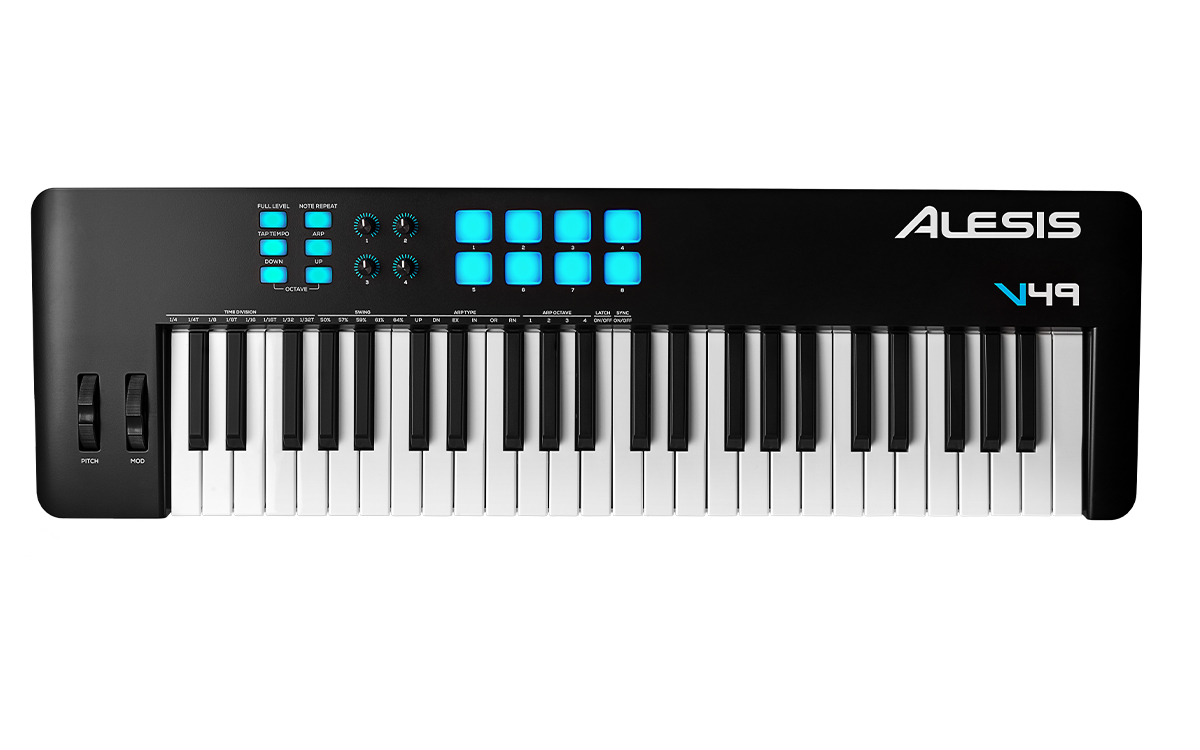
Alesis V49 MkII
Simple and solid for the price: 49 keys, four pads, four knobs, nothing you won't use. The value pick on a tight budget.
- ✓Dollar-for-dollar the best 49-key value
- ✓Simple: no software needed to make sounds quickly
- ✓Includes Ableton Live Lite and a host of bundled VSTs
- -Only 4 pads and 4 knobs limit hands-on control
- -No pitch/mod wheels, only strips
- -Feels plasticky vs. pricier rivals
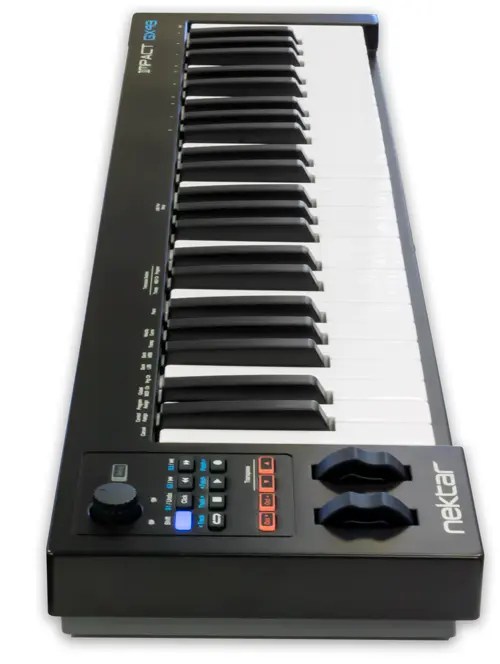
Nektar Impact GX49
A no-pads keyboard with eight knobs and deep Reason integration. If you only play keys, it costs less than feature-heavy rivals.
- ✓Excellent Reason mapping; knobs find their targets automatically
- ✓Under $100 for a full-size 49-key experience
- ✓Light and easy to move around
- -No pads, no wheels, just keys and knobs
- -Plastic build at the budget end
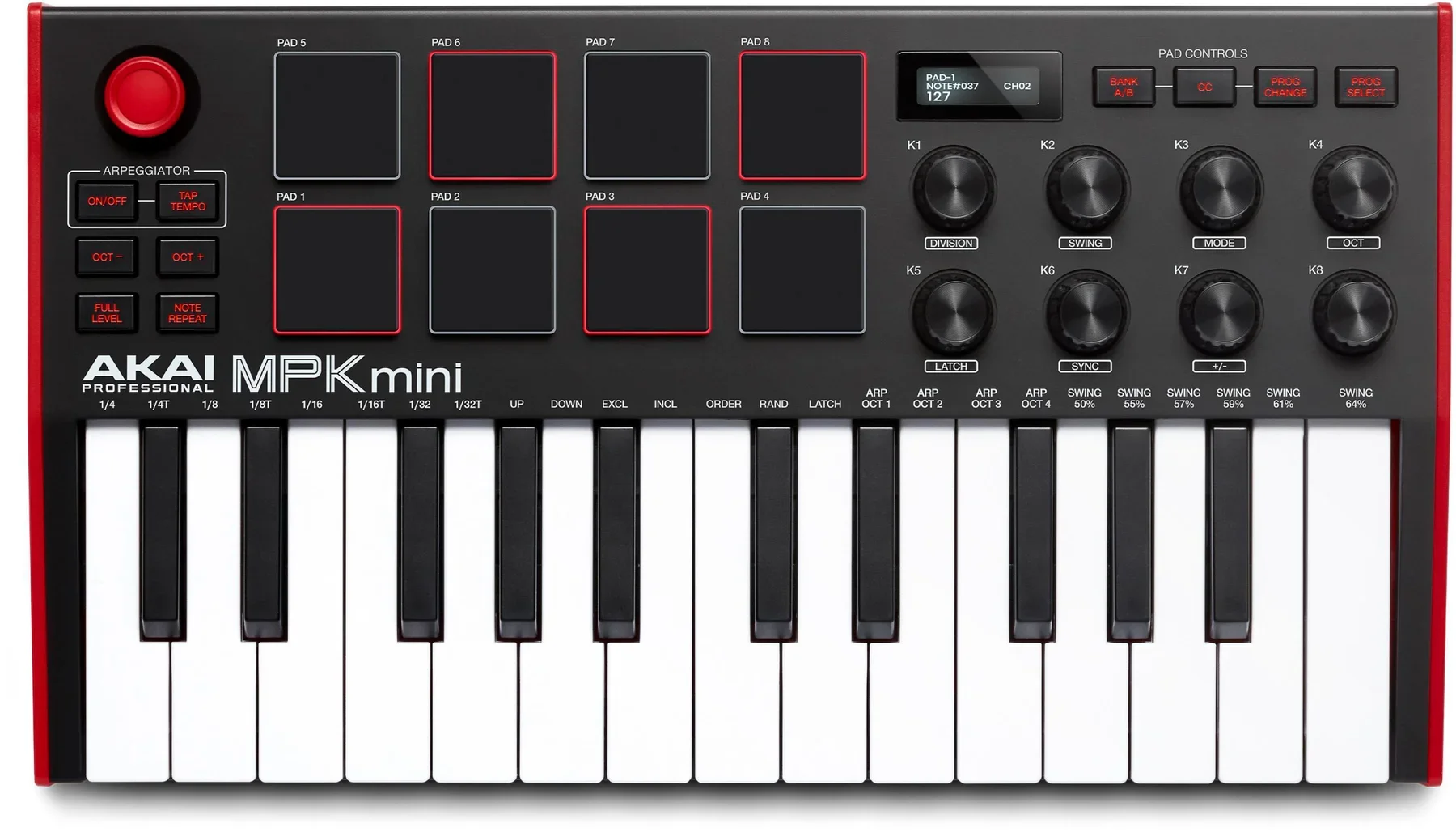
Akai MPK Mini Mk3
The best-selling mini controller: eight pads, eight knobs, an OLED screen, and a pitch/mod thumbstick, all under $120.
- ✓Great value: pads, knobs, screen, arpeggiator
- ✓Tiny and tough enough to live in a bag
- ✓MPC Beats + soft-synth bundle included
- -The 25 mini keys are the weak point
- -Thumbstick pitch bend isn't everyone's favorite
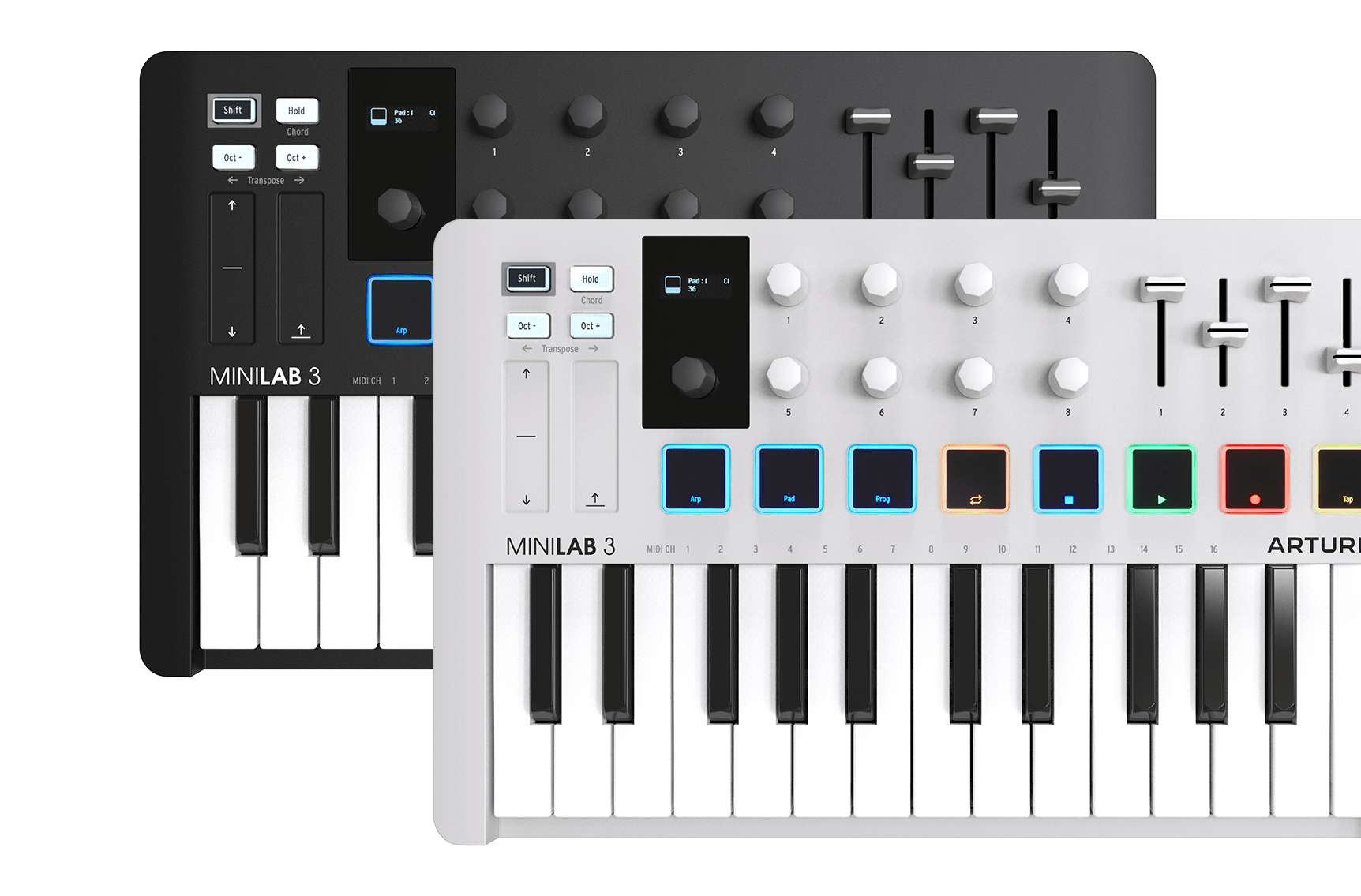
Arturia MiniLab 3
MiniLab 3 fixed its predecessor's mushy keys, added transport controls, and kept the faders and pads. The premium-feeling mini at $149.
- ✓Keybed punches above mini-class; the best 25-key feel
- ✓8 pads, 8 knobs, and 4 faders, rare density at this size
- ✓Analog Lab Intro with thousands of preset sounds
- -No 5-pin MIDI or CV out
- -Pitch/mod are touch strips, not wheels
Why these and not others
The under-$220 market splits into two camps: full-size 49-key keyboards with serious DAW control (KeyLab Essential, Launchkey, Oxygen Pro) and 25-key minis built for portability (MPK Mini, MiniLab, Launchkey Mini). If the keyboard will mostly live on a desk, buy from the first camp; you get a playable keybed and faders for almost the same money. If it will travel in a backpack, the minis are the right call and the pick of that group is the MiniLab 3.
One controller to call out as a trap: anything with 61+ keys, dozens of pads, and a $90 price tag usually sacrifices the two things you actually feel, the keybed and the pads. Every board here keeps those honest.
Frequently Asked Questions
Do I need 49 keys or 61 keys as a beginner?
Start with 49 keys unless you specifically want to play two-handed piano parts. 49 full-size keys cover a wide melody range plus left-hand chords without eating your whole desk. 61 keys only matter once you feel cramped, and nearly every 61-key model has a 49-key sibling at a lower price.
Does a MIDI keyboard make sound by itself?
No. A MIDI controller has no speakers or sound engine; it sends note and control data to software on your computer (a DAW) or to a hardware sound module. What you hear is the software instrument. That is the point: one controller can trigger pianos, synths, and drums without costing anything per sound.
What software do I need to get started?
A DAW and at least one instrument. Every controller in this guide ships with a lite DAW (usually Ableton Live Lite) and some instruments, so a fresh setup costs zero extra. Free DAWs like GarageBand (Mac) and the lite tiers of Ableton, FL Studio, or Logic are enough for the first year.
Should my first controller have pads?
Yes, if there is any chance you will make beats or trigger samples. Pads are useless for pure piano practice but indispensable for drum programming, clip launching, and finger drumming. The KeyLab Essential and Launchkey 49 both include eight or more pads, so you pay almost nothing for the option.
The bottom line
The KeyLab Essential 49 is the safest first controller: the best keybed in the group, faders and pads you will grow into, and Analog Lab Pro for day-one sounds. On a $150 budget, the Alesis V49 MkII. For portability, the MiniLab 3.