Buying guide · Updated 2026
Best Pad Controllers for Beat-Making
Eight pad controllers for drums, samples, and clip launching, from a $59 entry grid to the Ableton Push 2. We compared pad feel, velocity response, scale modes, and DAW depth.
How we picked
- 1. Pad feel and velocity response, the thing you hit all session
- 2. Software depth: clip launch, scale modes, bundled suites
- 3. Synth-action keys are excluded: this category is about the grid
- 4. Hardware flexibility: MIDI and CV outs for DAW-less setups
Pad Controllers at a Glance
| Controller | Keys | Pads | Knobs | Faders | DAW Deep | Price |
|---|---|---|---|---|---|---|
Ableton Push 2 | — | 64 | 8 | — | Ableton Live (hardware-software deep) | $799Full review → |
Novation Launchpad Pro Mk3 Best Push Alternative | — | 64 | — | — | Ableton Live, Logic, FL Studio, Cubase | $249Full review → |
Korg nanoPAD2 Best Under $60 | — | 16 | — | — | Class-compliant; works with any DAW | |
Native Instruments Maschine Mikro Mk3 | — | 16 | 8 | — | Maschine 2 (included software), also maps to major DAWs | $299Full review → |
PreSonus ATOM SQ | — | 16 | 8 | — | Studio One (extremely deep), Ableton Live, Logic | $199Full review → |
Akai MPD218 Best Budget Pads | — | 16 | 6 | 6 | MPC Beats (included), class-compliant | $129Full review → |
Novation Launchpad X | — | 64 | — | — | Ableton Live, Logic, FL Studio, Cubase | $199Full review → |
Arturia BeatStep Pro | — | 16 | 16 | — | Class-compliant sequencer brain; DAW-agnostic | $299Full review → |
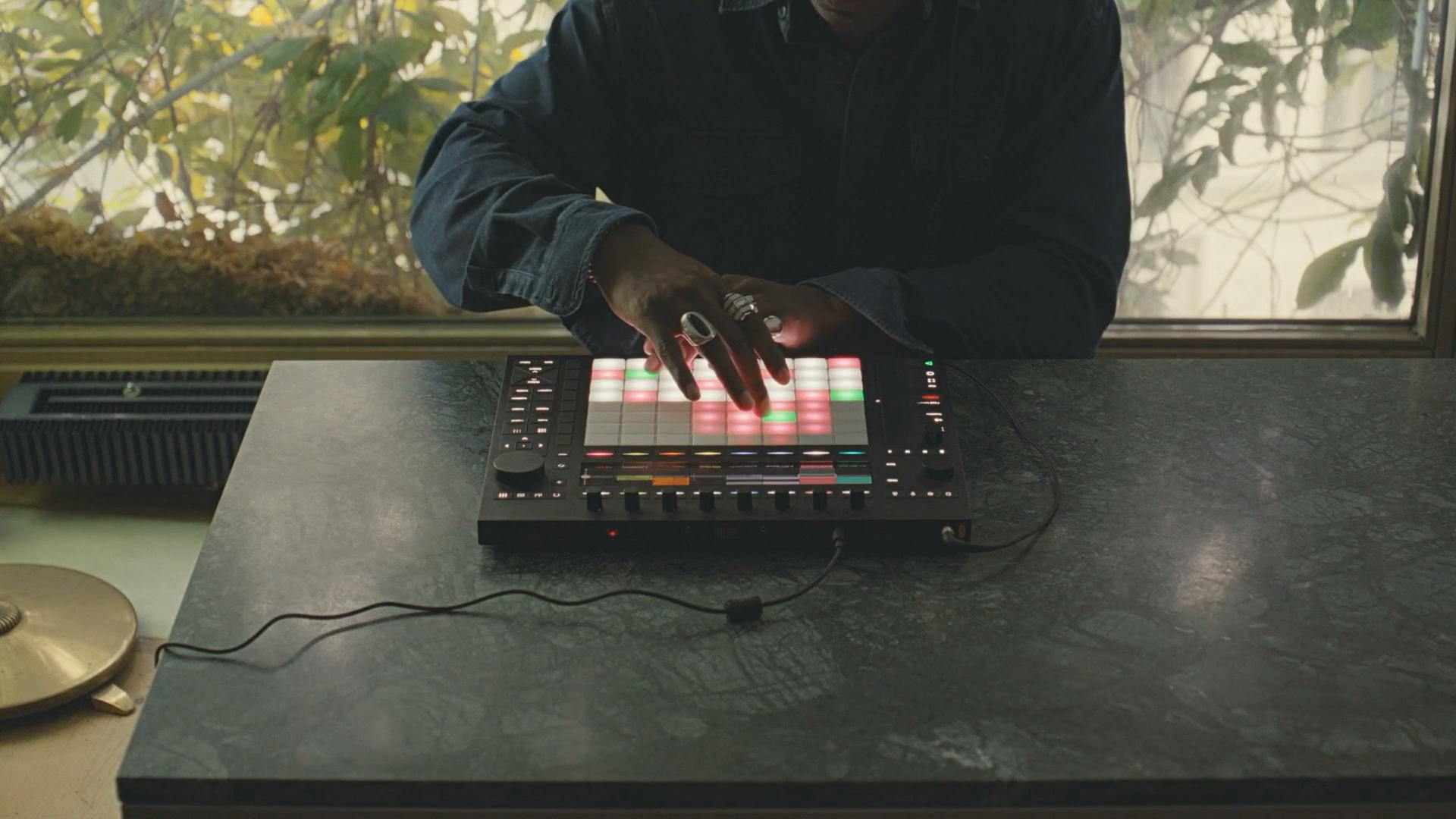
Ableton Push 2
The benchmark for pad controllers. Its display, 64 velocity pads, and session-control depth make it the closest thing to a self-contained Ableton instrument.
- ✓Seamless browser/device/arrangement control without touching the mouse
- ✓Outstanding 64-pad feel and RGB feedback
- ✓Step sequencer, scales, and melodic modes are best-in-class
- -Expensive; over 3x a Launchpad Pro
- -Only truly shines inside Ableton Live
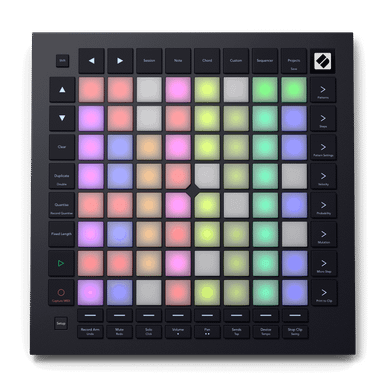
Novation Launchpad Pro Mk3
The closest thing to a Push at a third of the price: 64 velocity pads, standalone sequencing, and MIDI plus CV outs for hardware.
- ✓Standalone sequencer; works without a computer
- ✓MIDI + CV/Gate outs control synths and drum machines
- ✓Logic, FL, and Cubase modes bounce Ableton's exclusivity
- -No display; you work from LED feedback and memory
- -No knobs or faders for mixer control
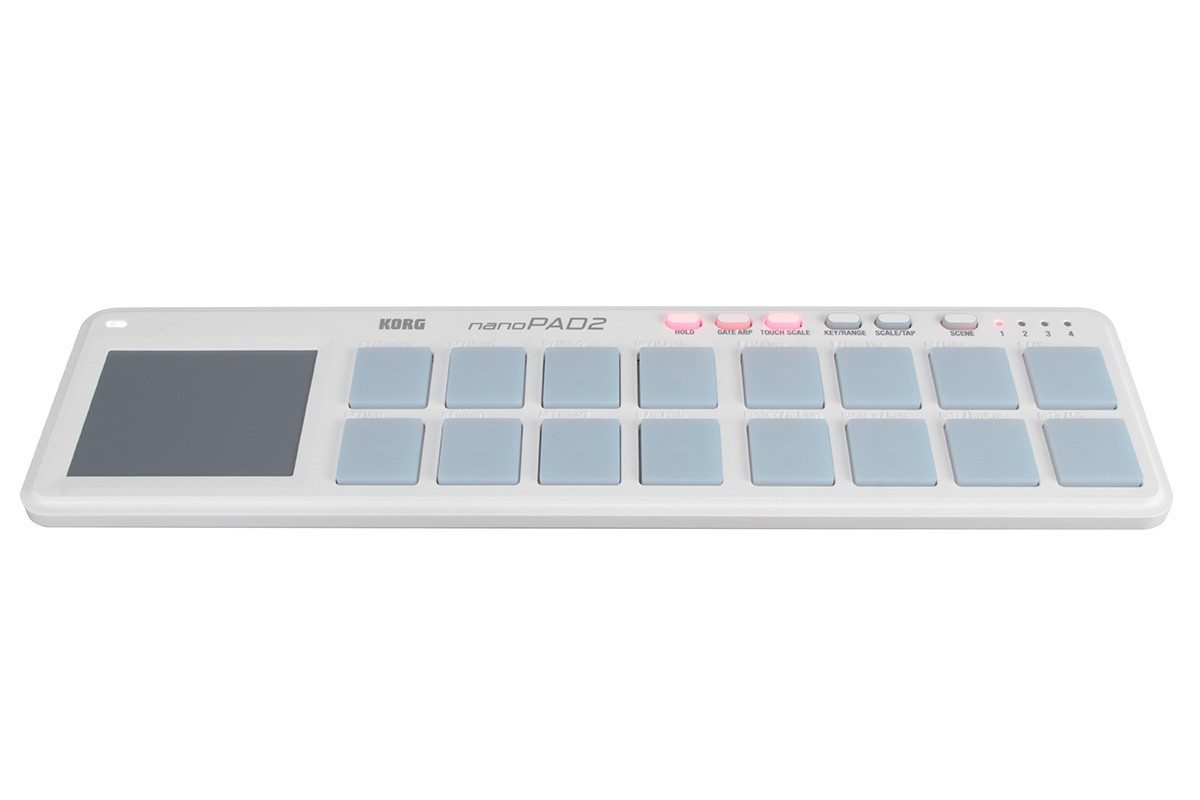
Korg nanoPAD2
Sixteen velocity pads and an XY touchpad in a footprint smaller than a laptop keyboard. The entry pick when the only job is drums.
- ✓Sixteen pads for under $60
- ✓XY pad adds expression no other controller in this guide has
- ✓Tiny, USB-powered, lives in a backpack forever
- -No knobs or faders; sound control is software-side
- -Pads are compact; less forgiving than MPC-sized ones
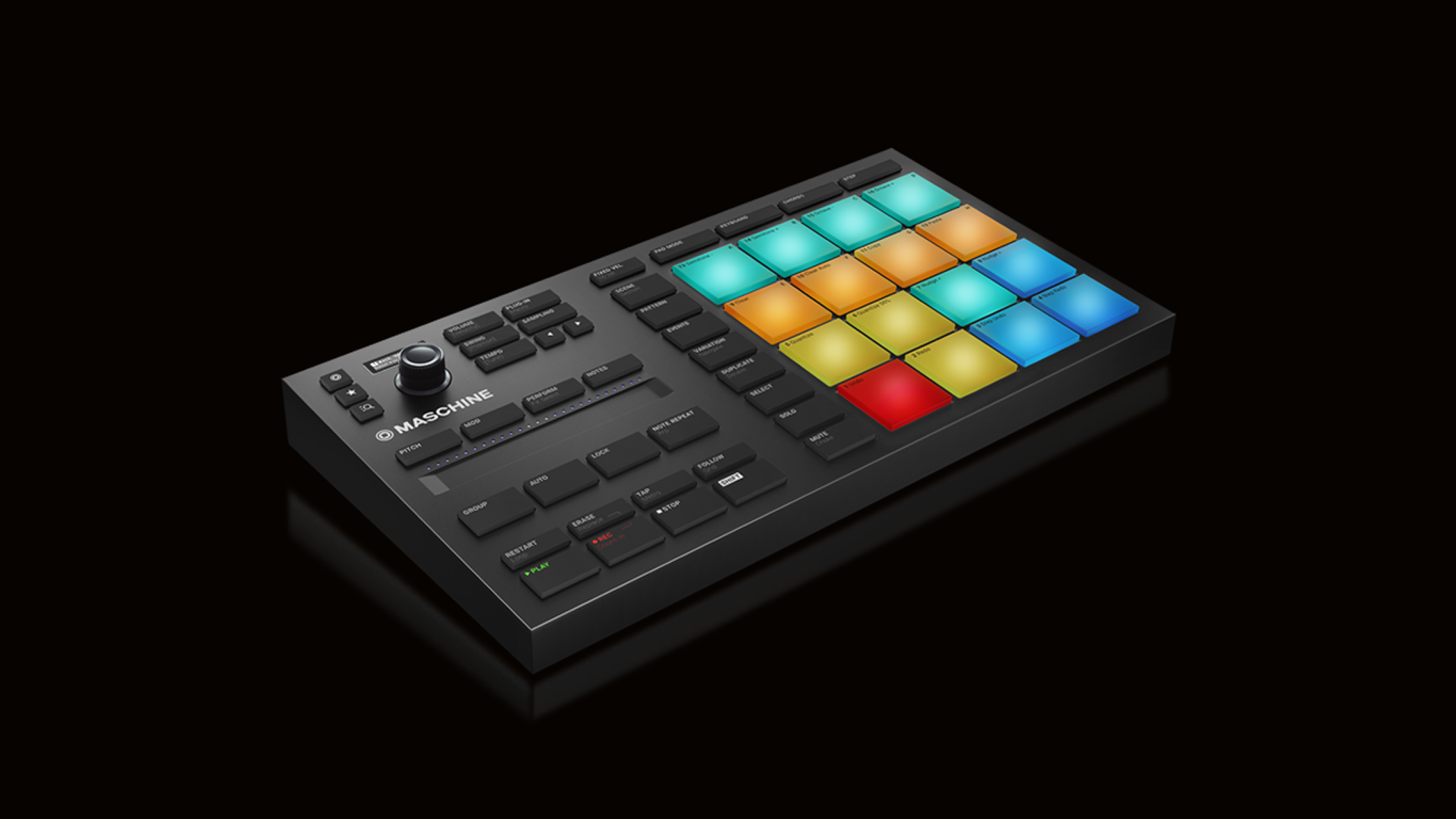
Native Instruments Maschine Mikro Mk3
Sixteen RGB pads, eight knobs, and Native Instruments' Maschine software. The fastest sketch-to-beat workflow outside a standalone groovebox.
- ✓Maschine software bundle is a full production suite
- ✓Superb pad sensitivity and aftertouch
- ✓Compact desktop footprint
- -Software-first; feels limited outside Maschine
- -No faders; mixer control is knob-driven
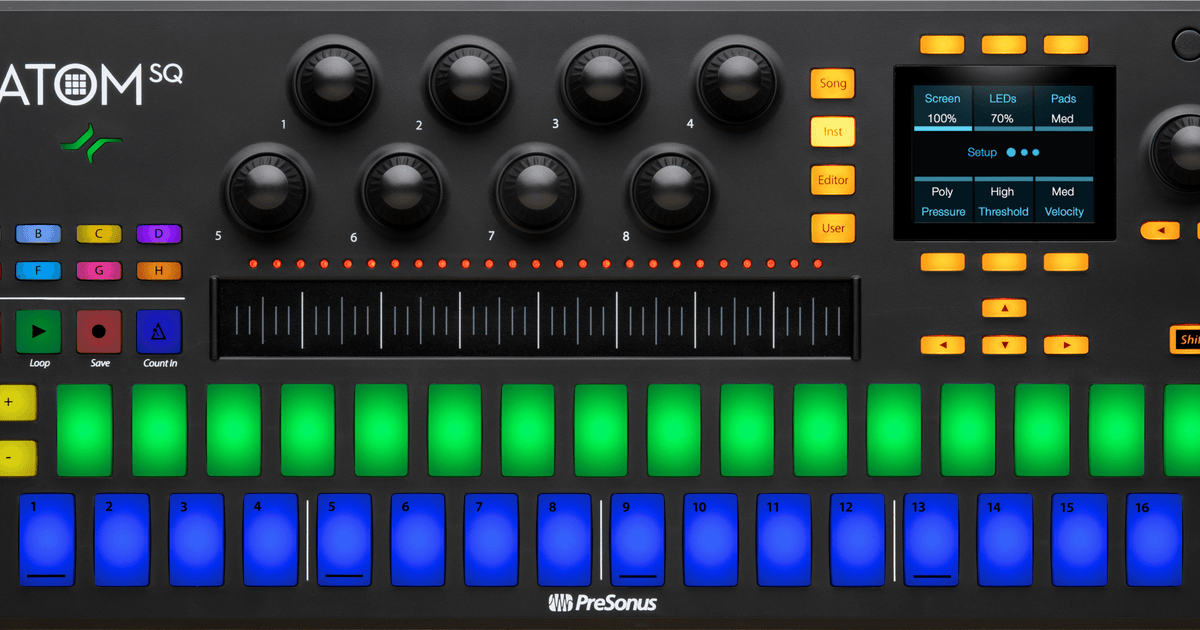
PreSonus ATOM SQ
A 16-pad performance controller with eight encoders and chord/scale modes. Its Studio One integration rivals what Ableton gets from Push.
- ✓Deepest integration of any controller with Studio One
- ✓Chord and scale modes for melodic playing
- ✓8 encoders + a four-way mini-joystick add expression
- -Keyboard-less; pairs with a piano controller
- -Pad size is smaller than MPC-style slabs
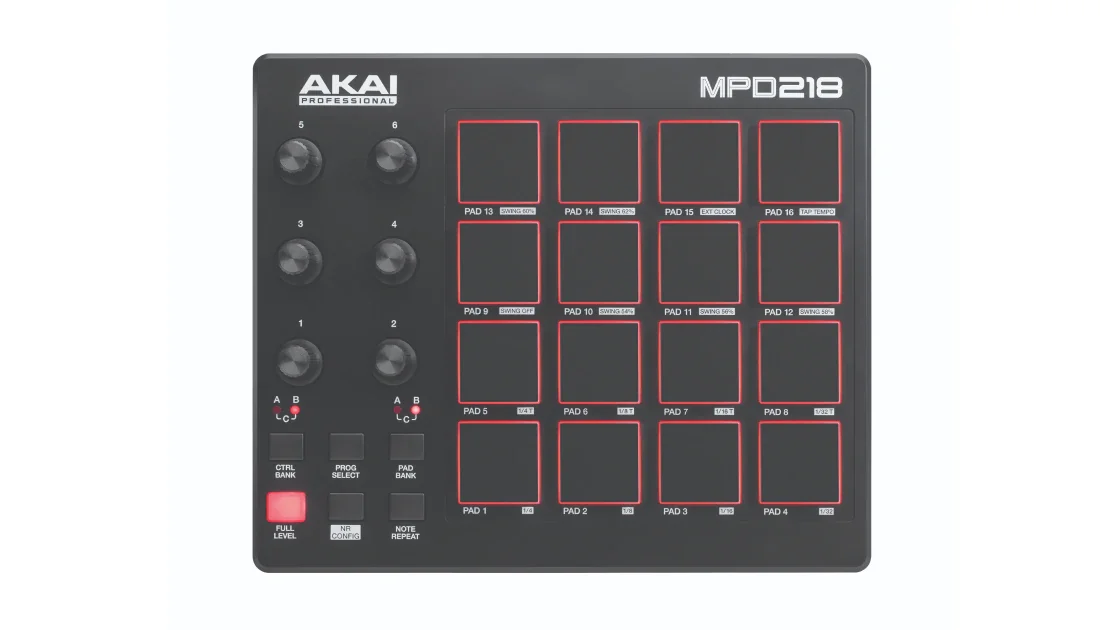
Akai MPD218
Sixteen MPC-style pads plus knobs and faders, under $150. The serious first pick for pad-first producers.
- ✓Real MPC pad feel at an entry price
- ✓6 knobs, 6 faders, and 16 pads with 3 banks each
- ✓5-pin MIDI out, rare under $150
- -Compact pads feel small for big-handed players
- -Plastic chassis is light and budget-feeling
- -No keys
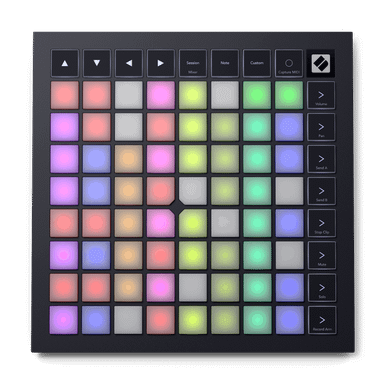
Novation Launchpad X
The same 64-pad grid and Ableton clip control as the Pro, without the standalone brain, at half the price. Right for anyone who works at a computer.
- ✓Full clip-launch grid at an entry price
- ✓Pressure-sensitive pads with good response
- ✓Light, USB-powered, easy to toss in a bag
- -No standalone sequencing like the Pro Mk3
- -No MIDI or CV outs
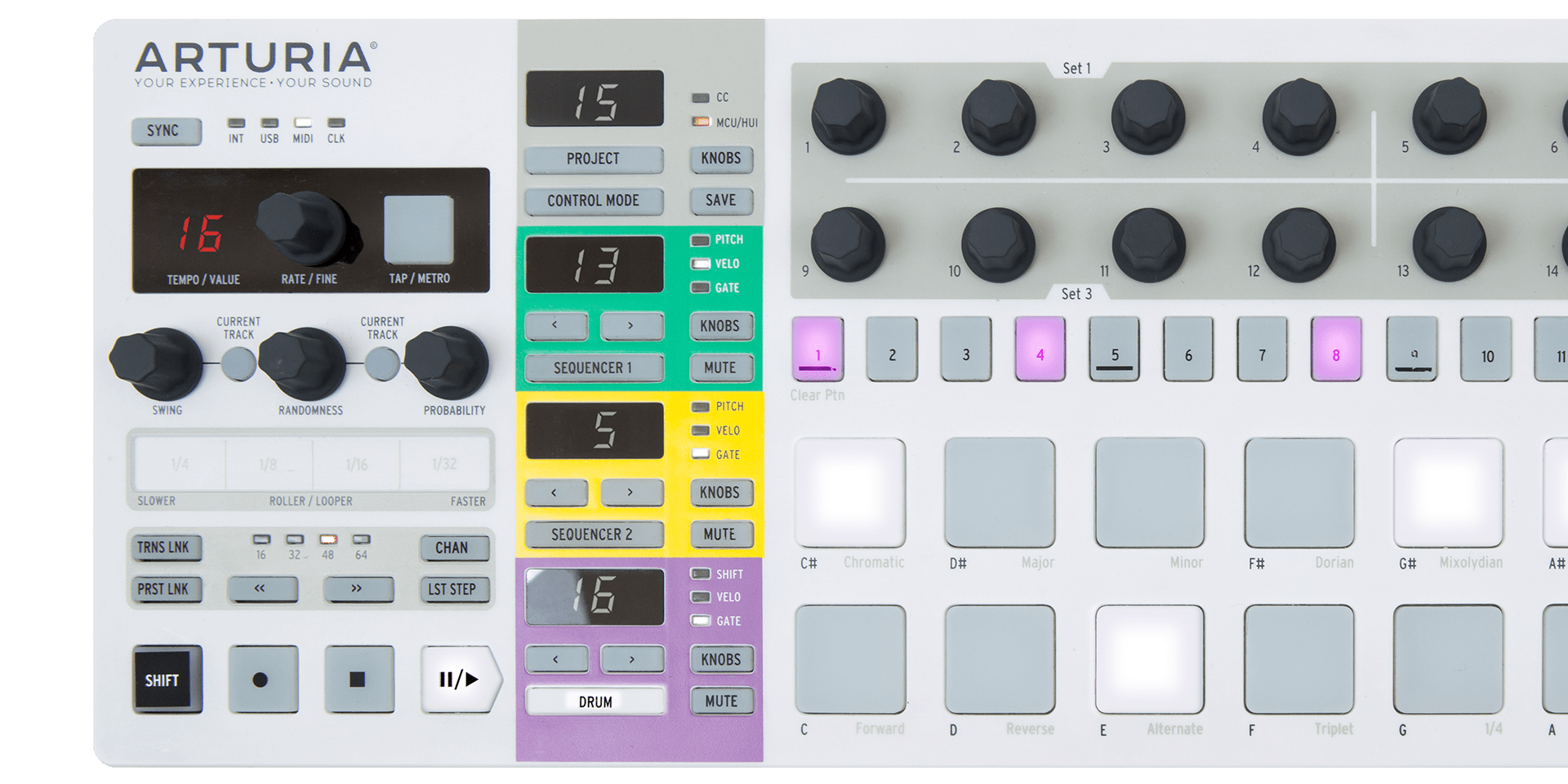
Arturia BeatStep Pro
Part sequencer, part drum programmer, part CV brain: 16 pads, 16 knobs, three sequencing tracks. Built for hardware rigs and DAW-less setups.
- ✓Three-track sequencer with per-step control
- ✓CV/Gate + drum gates for modular and semi-modular synths
- ✓16 knobs for real-time parameter tweaking
- -Not a dedicated finger-drumming grid (pads are smaller)
- -No faders; software control is shallower than DAW-native rivals
Push vs everything else
Ableton Push 2 sits at the top because it is the only controller here that fully replaces the mouse inside a DAW: browser, devices, arrangement, mixing, and a scale-aware playing surface, all on hardware. Everything else is a compromise on that idea, and for most people the compromises are the right move at the price. The Launchpad Pro Mk3 is the closest to Push for more than half the price. The Akai MPD218 wins on pure MPC-style pad feel for drum programming. The Maschine Mikro is a groovebox brain in a pad controller's body, and the Korg nanoPAD2 is the budget specialist: sixteen pads and a unique XY touchpad for under $60.
Two honest warnings. First, a 64-pad grid without a screen (Launchpad X) is powerful but harder to learn; you memorize which section does what. Second, if you already own a full keyboard controller, a pad-only slab is a great second piece of gear, but if you own nothing yet, start with one of the keyboard-plus-pads options from our beginner guide.
Frequently Asked Questions
Do I need Ableton Live to use a pad controller?
No. Ableton is the deepest integration target, which is why Push exists, but every controller here also maps to Logic, FL Studio, Cubase, Studio One, and Reason. The Launchpad Pro Mk3, ATOM SQ, and Maschine Mikro all ship with DAW-specific modes. What you lose outside Ableton is clip-launch depth, not the ability to play drums.
16 pads or 64 pads?
For finger drumming, 16 larger pads beat 64 small ones. Sixteen pads cover a drum kit plus a couple of melodic hits, and bigger pads are easier to hit accurately. The 64-pad grids (Push, Launchpad) only pay off when you use them for clip launching or chromatic scale playing, where the extra surface becomes a playing field.
Are pad controllers velocity sensitive?
Yes, and it is the defining feature. Velocity sensitivity means how hard you hit a pad changes the loudness (and with good software, the tone) of the sound. All eight controllers here have velocity-sensitive pads; the differences are in feel, response curve, and sensitivity adjustments, which is where the expensive ones justify themselves.
Can I play melodies and chords on a pad controller?
You can, and the modern ones make it pleasant. Push, the Launchpad Pro, and the ATOM SQ all have chromatic scale modes that light up the pads of a chosen scale, which effectively turns the grid into a melodic instrument. Maschine and MPC-style controllers can do it too, though their chips and software are less music-theory-minded.
The bottom line
The Novation Launchpad Pro Mk3 is the best Push alternative and the default pick. Finger drummers who never want a keyboard should get the Akai MPD218 for its MPC-style pads. Ableton lifers with the budget should buy the Push 2.